New in 1.8: DeClick, audio from video, markers and more →
The waveform editor for iPhone, iPad & Mac

Record, Edit, Play.
On iPhone, iPad and Mac.

Load a file, zoom right down to the waveform, select, cut, fade, normalize. Record through USB audio interfaces in true stereo — and export MP3 with an in-house encoder calibrated against LAME, something iOS itself doesn't have. No account, no cloud, no ads.

WAV AIFF CAF MP3 M4A / AAC Apple Lossless FLAC Opus
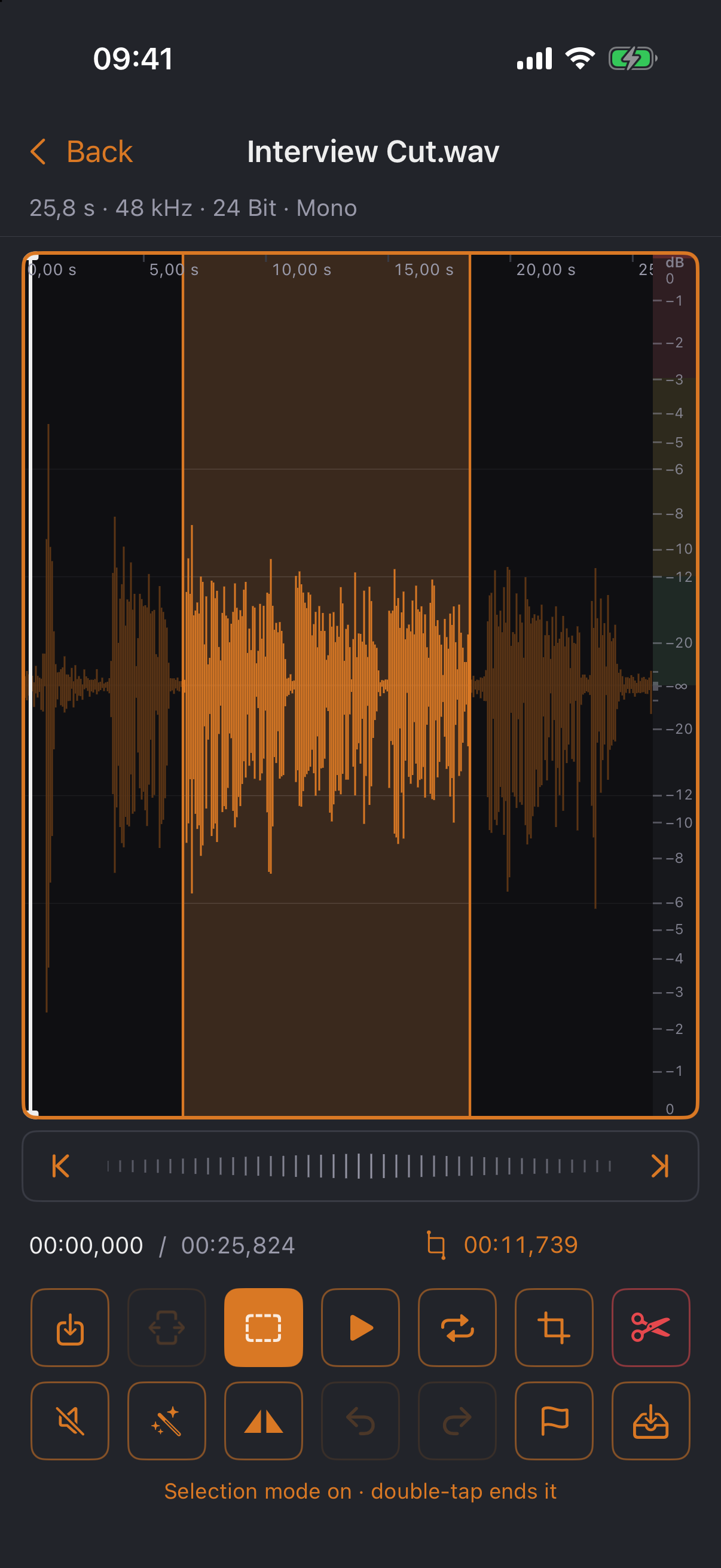
kesera.Edit editor with a selected range in the stereo waveform
🔒 No cloud, no account
✂️ Non-destructive, unlimited undo
🎚 USB interfaces & external mics
🎵 Built-in MP3 encoder
01

Record

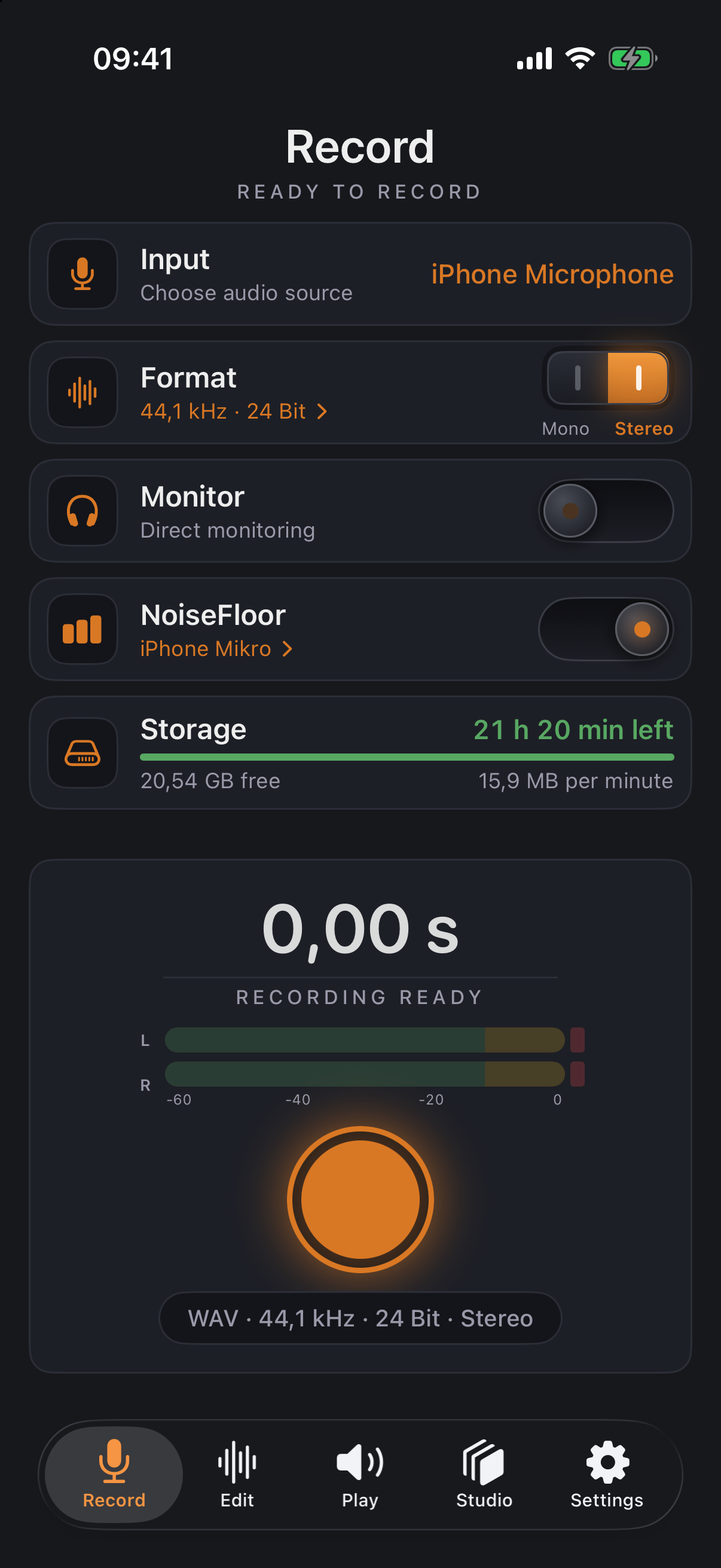
The Record tab turns your iPhone into a recorder: uncompressed WAV at 44.1 kHz and 24-bit — source material without compromise.

  • ✓Pick any input: built-in microphone, headset, Bluetooth — and USB audio interfaces in true stereo
  • ✓Your input choice is remembered; iOS doesn't get to switch back to the headset behind your back
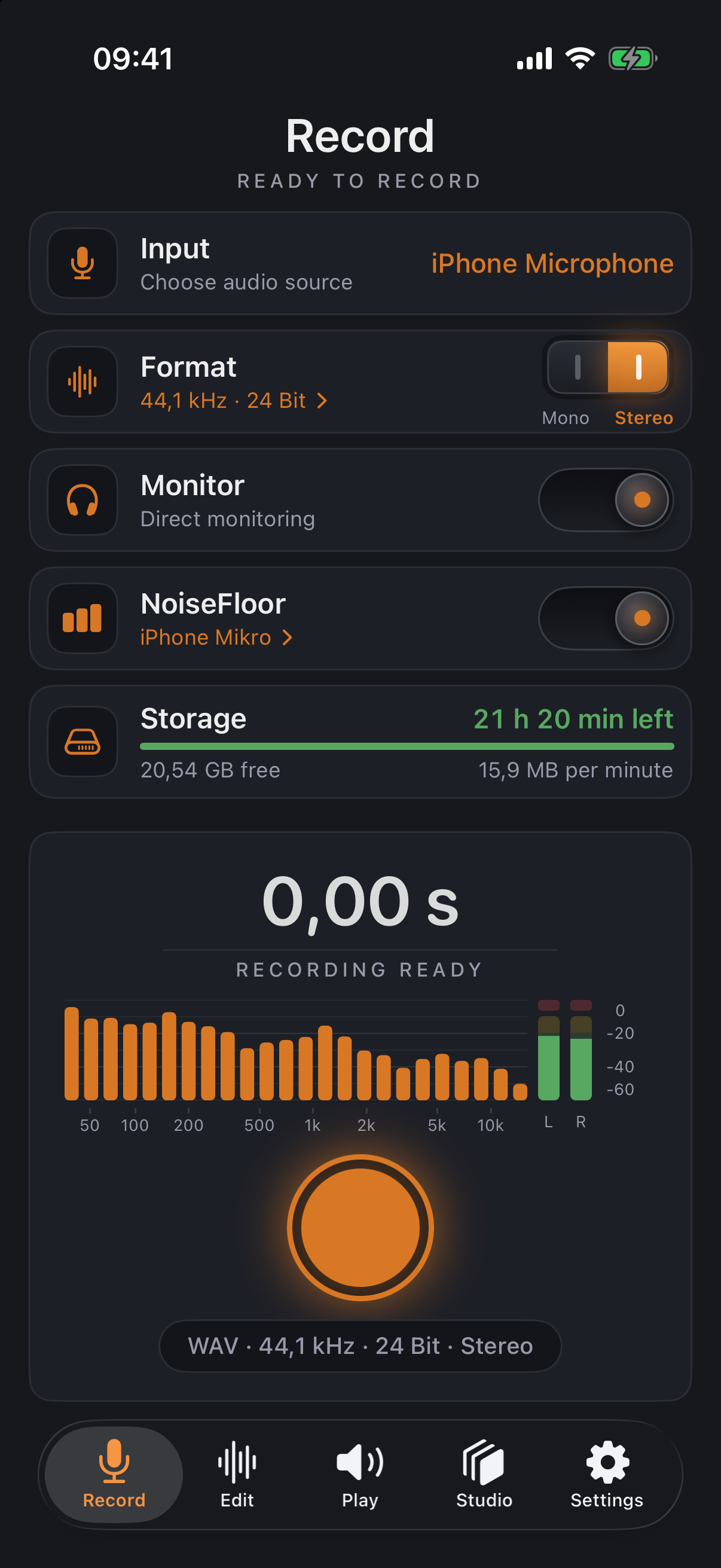
  • ✓Monitor with real-time spectrum (50 Hz–16 kHz), L/R level meters and a clipping indicator
  • ✓Recordings land straight in the library, ready to cut
Recording with level meters
Recording monitor with spectrum
02

Edit

The heart of the app: one waveform, precise cuts — like a desktop sample editor, designed for the touchscreen.

  • ✓Two-finger zoom down to individual wave cycles, fluid thanks to a peak pyramid
  • ✓Selection mode via double tap: drag out a range, audition it, delete, trim, silence
  • ✓No clicks: zero-crossing snap and a 2 ms micro-fade at every cut edge
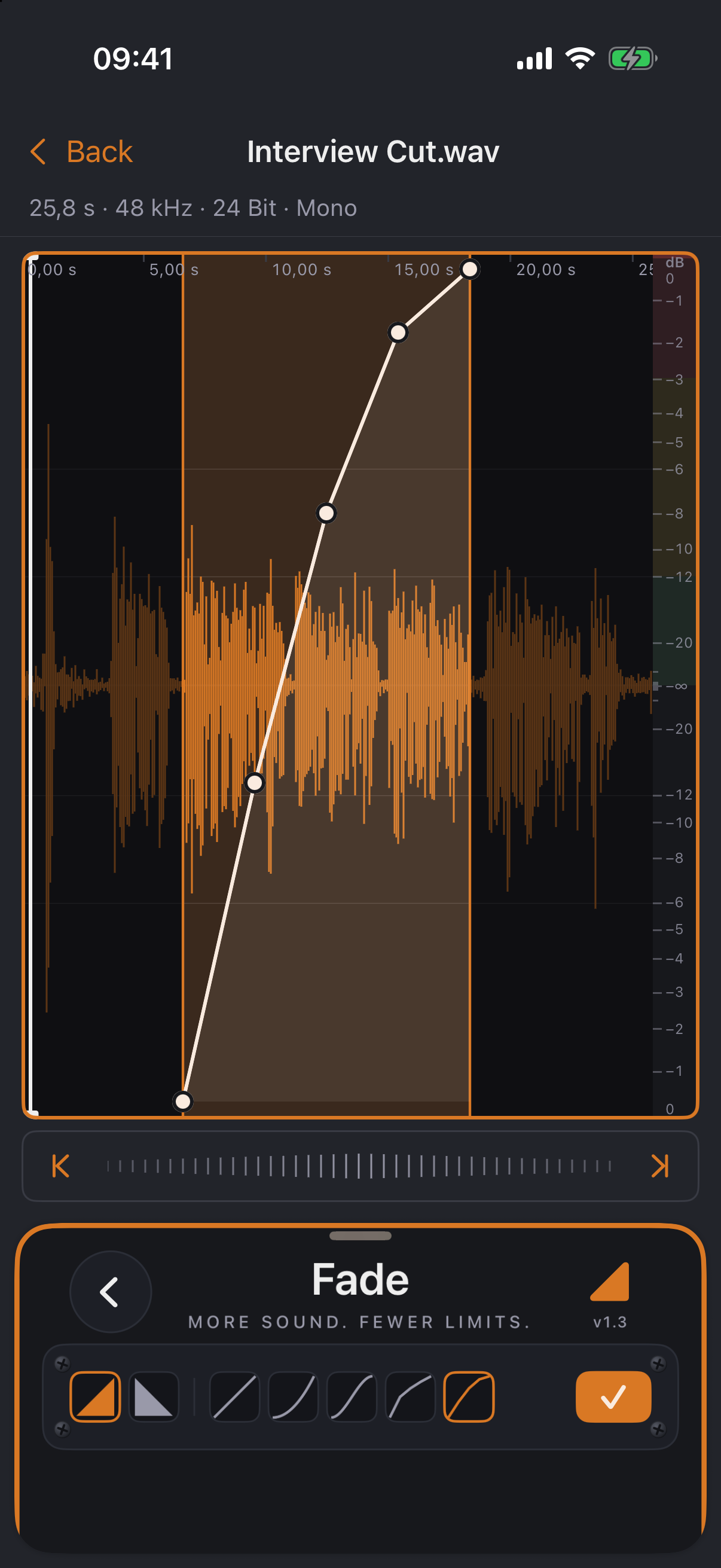
  • ✓Freely shapeable fade curves with seven presets — drag, add and remove points
  • ✓Normalize to peak level or loudness (RMS) with pre-measurement and clipping protection
  • ✓Non-destructive with unlimited undo — the original file stays untouched
Editor with selection
Curve editor

Export with an in-house MP3 encoder

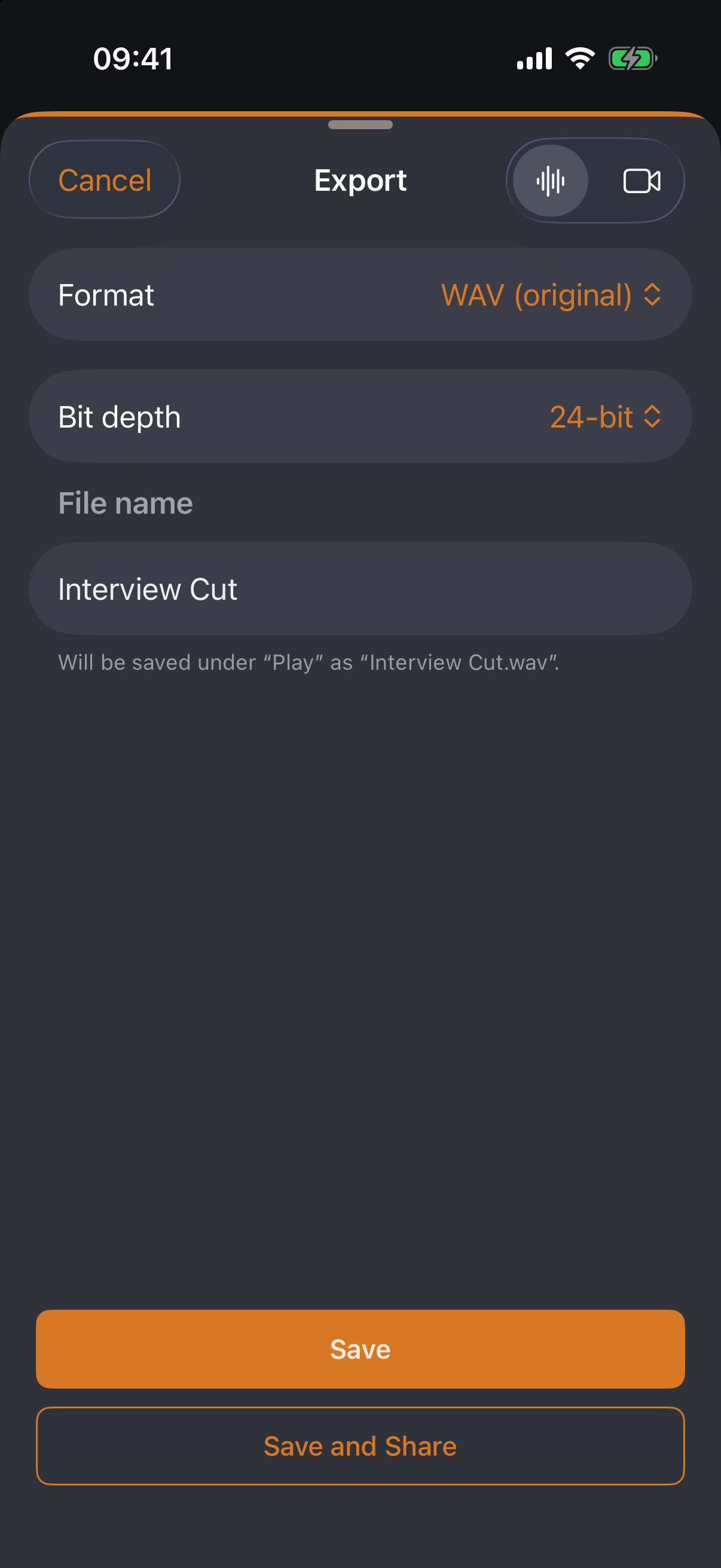
WAV, AIFF, CAF, Apple Lossless, AAC — and MP3 via kesera.Codec, the in-house encoder calibrated against LAME that iOS doesn't ship: CBR, VBR (V0–V9), ABR, joint stereo, sample-accurate gapless. Bit depth and dither to taste, a size estimate before writing, and “Compress” right from the file list.

Export dialog
03

Play

The library keeps things tidy — and files travel wirelessly to wherever they're needed.

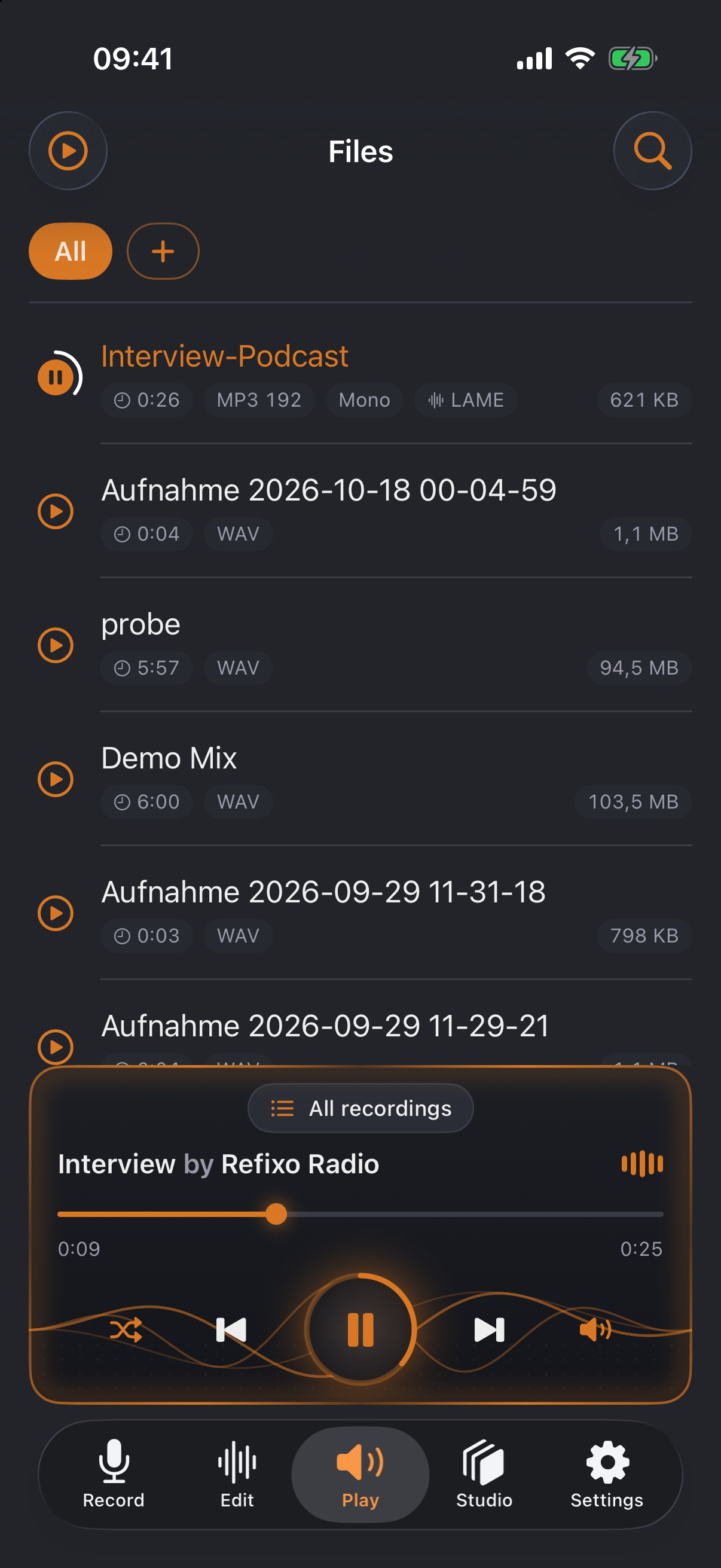
File library with mini player
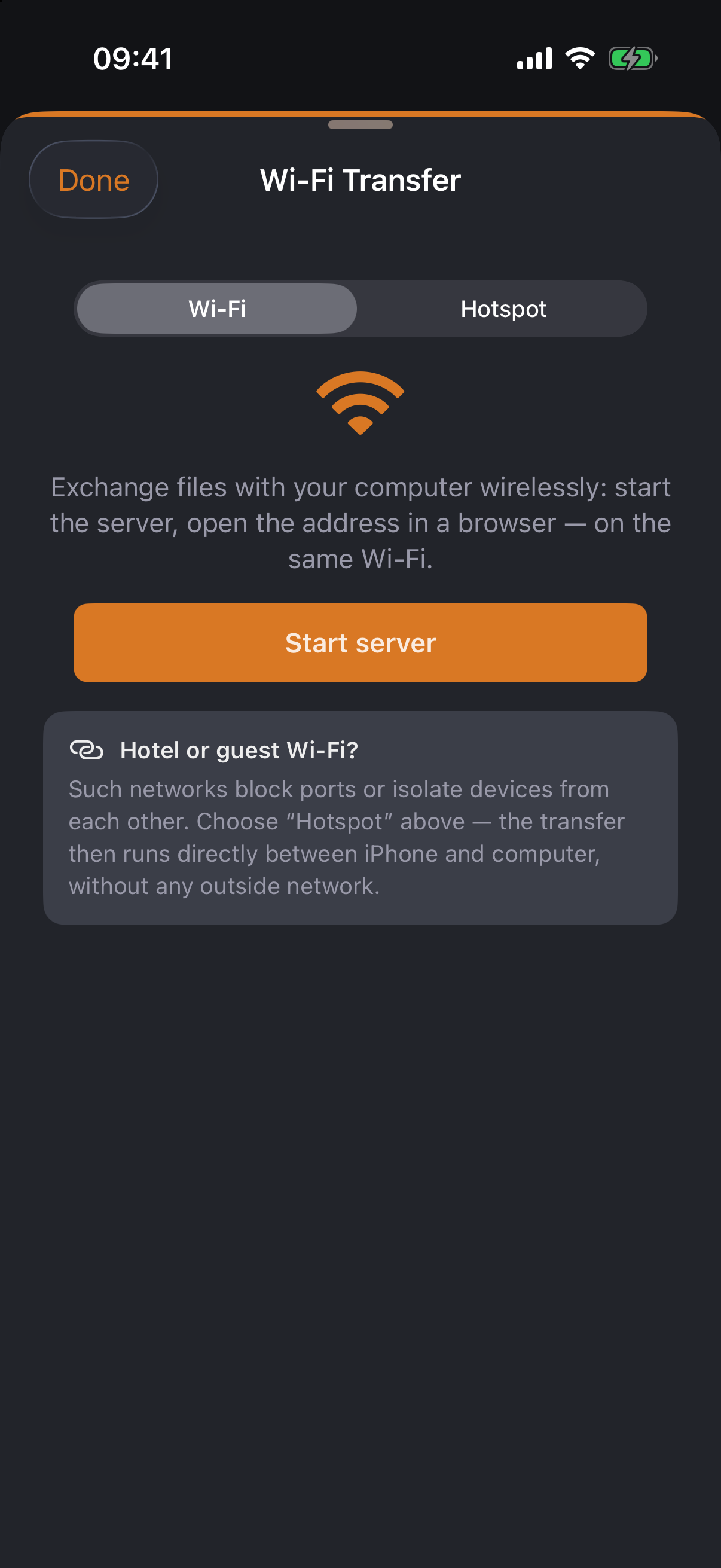
Wi-Fi transfer with QR code
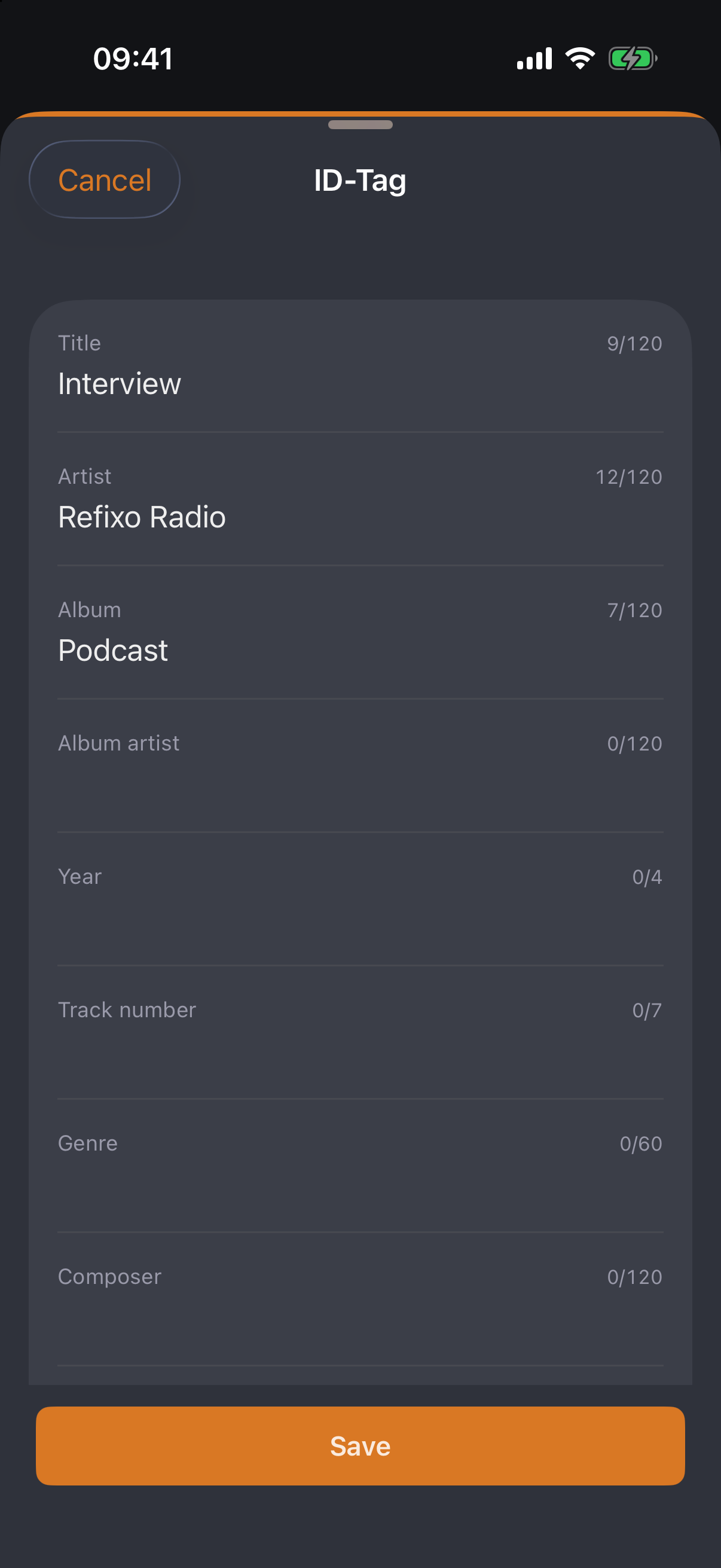
ID tag editor
  • ✓Sortable list with folders, search and preview; also visible in the iOS Files app
  • ✓Mini player with playlist, shuffle and lock-screen controls — with cover, title and artist from the ID tag
  • ✓Wi-Fi transfer: exchange files in the browser on your computer — QR code, access code, hotspot mode for hotel networks
  • ✓ID tag editor for MP3s: title, artist, album, cover & co. — in the app and in the browser
04

Share as video

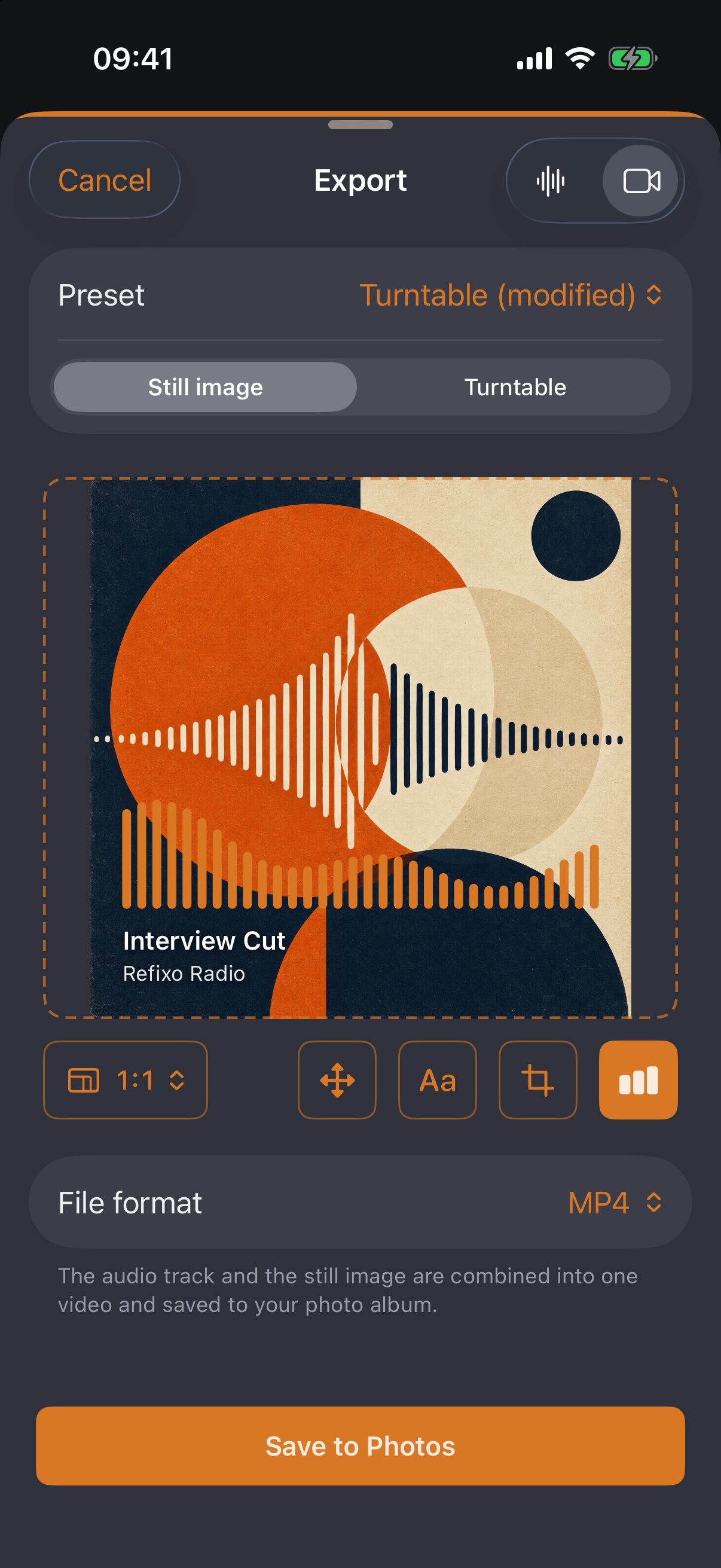
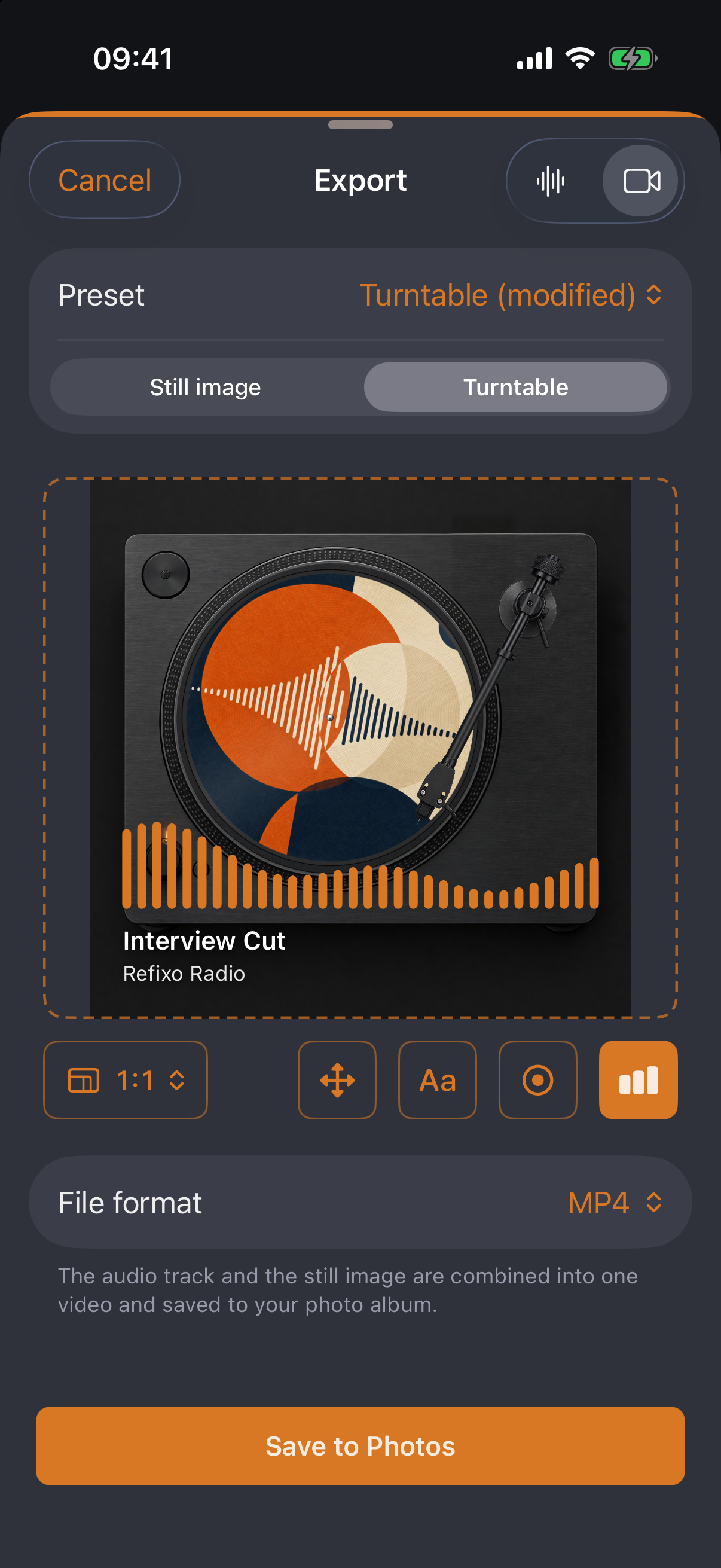
The audio becomes a video for the web — a still image with cover and equalizer, or a turntable with the cover spinning on it.

Video export: still image with cover, caption and equalizer
Video export: turntable with spinning cover
From version 1.7
  • ✓Still image: cover with crop and zoom, title and artist placed freely, equalizer driven by the audio — in 1:1, 4:5, 3:4, 4:3, 16:9 or 9:16
  • ✓Turntable (from 1.7): the cover spins as a picture disc or label on a platter — four models from Studio Black to DJ Deck, 18, 33⅓ or 45 rpm, with spin-up and spin-down; the tonearm lowers, tracks inward and lifts at the end
  • ✓Presets for the look (from 1.7): Podcast square, Story portrait, YouTube wide, Turntable — and your own
  • ✓MP4 or MOV with an AAC audio track, straight to the photo library
Effects

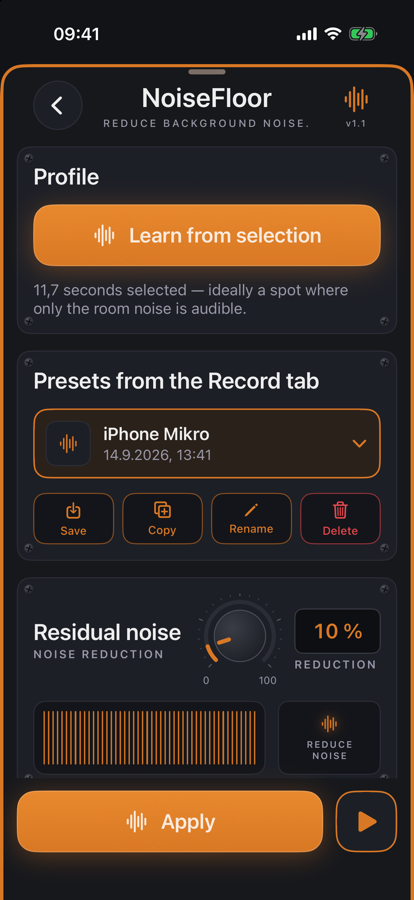
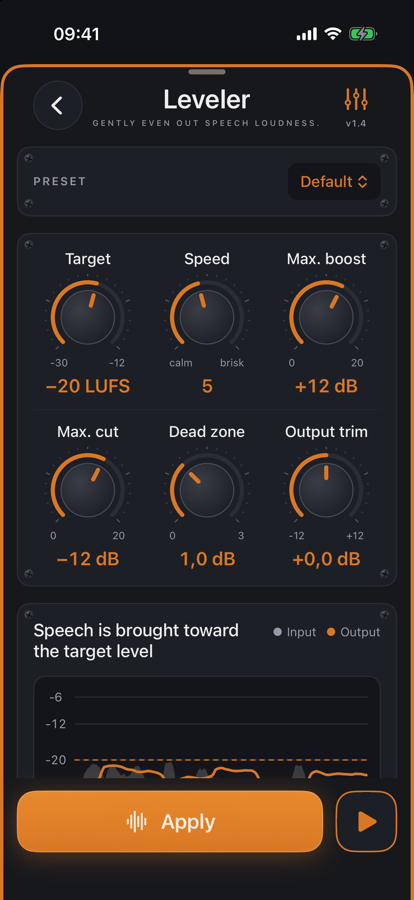
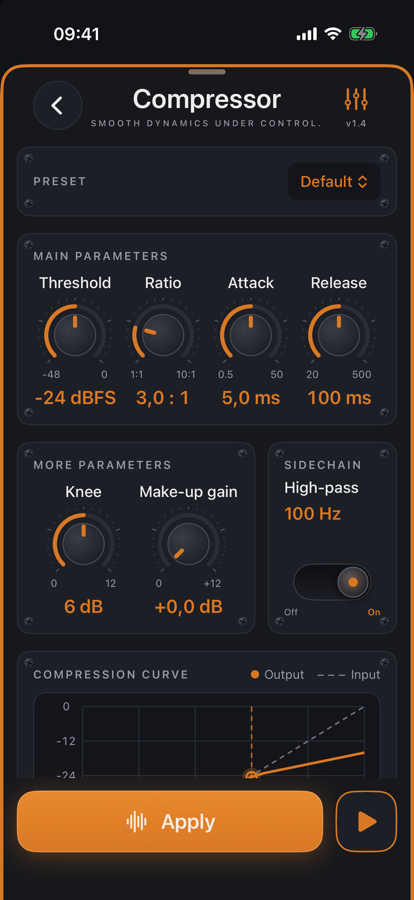
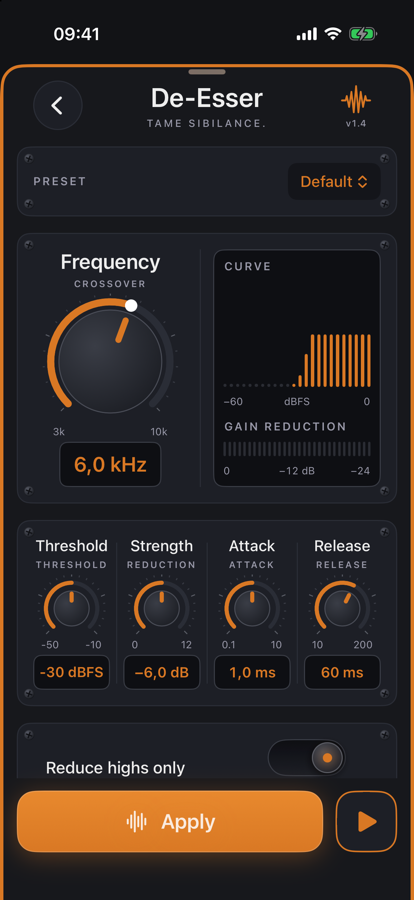
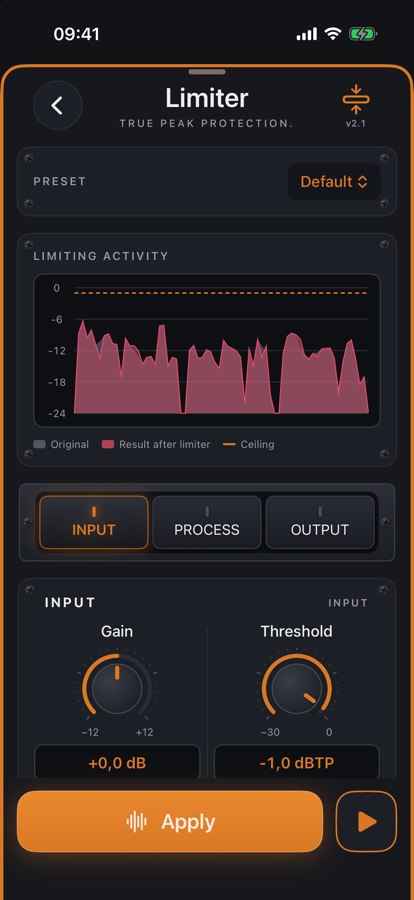
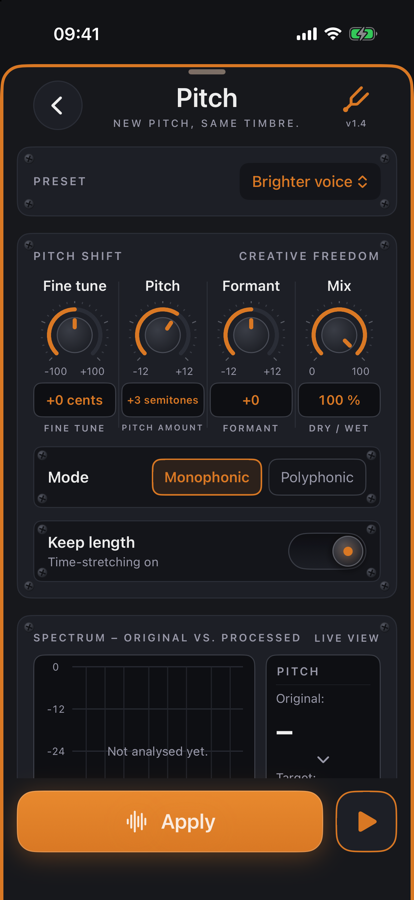
Effects with live preview

Every effect has its own page with knobs, toggles and meters — like a plug-in. The play button loops the change instantly; Apply writes it non-destructively, Undo removes it. Pro features can be tried twenty times for free.

The kesera.Codec MP3 encoder in numbers

+7.3 dB
average SNR lead vs. LAME (q0), 18 scores
116
round-trip checks against Apple's decoder
150×
real-time speed on Apple Silicon

SNR compared: kesera.Codec vs. LAME

kesera.CodecLAME (q0)Two-tonekesera.Codec: 80.4 dB80.4LAME: 58.2 dB58.2Tone in noise floorkesera.Codec: 27.8 dB27.8LAME: 22.1 dB22.1Dynamic shiftskesera.Codec: 70.1 dB70.1LAME: 55.7 dB55.7Click burstskesera.Codec: 62.3 dB62.3LAME: 46.7 dB46.7

Overall SNR in dB at 128 kbit/s, identical input, decoded with Apple's decoder — higher is better. How it was measured — the full process →

Coming soon · Version 1.9

BetterVoice as a plug-in — in GarageBand, Logic and on the Mac

With the next version the BetterVoice voice channel strip becomes an Audio Unit plug-in (AUv3): it runs right inside GarageBand, Logic Pro, AUM, Cubasis and other apps — on iPhone, iPad and Mac. No separate download, no separate purchase: the plug-in comes with kesera.Edit.

On iPhone and iPad

In GarageBand under Plug-ins & EQ › Audio Unit Extensions, in AUM and Cubasis as an effect — with automation and presets.

On the Mac

In Logic Pro and GarageBand under Audio Units › kesera.Edit. The other way round, kesera.Edit on the Mac opens your AU plug-ins — UAD, Sonnox, FabFilter, iZotope.

And also

Videos via “Share”, markers as cue points in the WAV, Chain and Check for ACX, Apple Podcasts and Spotify, presets for limiter, EQ and Normalize.

Everything in version 1.9 →

Preview — things may still change before release.

Devices

On iPhone, iPad, iPhone Duo and Mac

One app, one purchase. kesera.Edit adapts its layout to the device — and kesera.Edit Pro applies everywhere.

Tech

The facts at a glance

Opens WAV, AIFF, CAF, MP3, M4A/AAC, Apple Lossless, FLAC, Opus — mono and stereo
Exports WAV, AIFF, CAF, Apple Lossless, AAC, MP3 (kesera.Codec) · 16/24-bit or 32-bit float · dither
Recording WAV 44.1 kHz / 24-bit · mono or stereo · internal and external inputs (USB, headset, Bluetooth)
Editing Non-destructive · unlimited undo/redo · zero-crossing snap · 2 ms micro-fades
Tools Delete, trim, silence, fade curves (7 presets), normalize (peak/RMS), loop playback
Files Folders, search, rename, mini player · visible in the iOS Files app · Wi-Fi transfer in the browser
Languages English and German — switchable without a restart
Pricing Free download, one-time Pro unlock. No subscription, no ads.

Privacy is the default

kesera.Edit sends nothing. No analytics, no account, no servers, no third-party SDKs. The only permission is the microphone — and the app asks only when you actually record.

Wi-Fi transfer stays on your own network too: it connects iPhone and computer directly, protected by an access code, and runs only while you keep it switched on.

Price

Start free. Unlock once.

The free tier is a complete app — nothing is artificially crippled. If you work with audio, get Pro: buy once, yours forever. And every Pro feature can be used twenty times for free first — only then does the app ask you to unlock.

Free

$0
  • All import formats incl. FLAC and Opus
  • Waveform editor, zoom down to wave cycles
  • Delete, trim, silence, linear fades
  • Recording with the built-in microphone (mono)
  • File library, folders, mini player, preview
  • Export as WAV and AAC
  • Try every Pro feature twenty times for free
Launch price

Pro — one-time unlock

$7.99 $12.99
for a limited time · no subscription, no further purchases
  • kesera.Codec MP3 export — CBR, VBR (V0–V9), ABR, joint stereo, gapless
  • Freely shapeable fade curves with all seven presets
  • Normalize to peak level and RMS
  • USB interfaces & stereo recording with spectrum analyzer
  • Wi-Fi transfer including hotspot mode
  • 24-bit and 32-bit export with dither
  • ID tag editor for MP3s — in the app and in the browser

Try all of it twenty times for free — the allowance counts per feature, not in total.

FAQ

Frequently asked questions

No — deliberately not. kesera.Edit is a sample editor like on the desktop: one file, one waveform, precise cuts. That's exactly what keeps the app fast, uncluttered and learnable in minutes.

Yes. Share the recording in Voice Memos and pick kesera.Edit — the memo opens straight in the editor. The original in Voice Memos stays untouched.

Never. Every edit runs non-destructively on a working copy, with unlimited undo. A new file is only created on export — and even that asks before overwriting anything.

Yes. Anything iOS recognizes as an input is available in the app: built-in microphone, headset, Bluetooth hands-free and USB audio interfaces — the latter in stereo, too. Your choice is remembered.

Via Wi-Fi transfer: the app shows an address with a QR code, your computer opens it in the browser, and an access code protects the connection. Uploads and downloads including folder selection — and on hotel or guest networks it works directly over your Personal Hotspot.

No. kesera.Edit is a free download, and the free tier stays fully usable — trim a voice memo, cut a ringtone, save as WAV or AAC. The Pro features are unlocked with a single purchase, forever: no subscription, no further purchases, no ads.

Ready for the first cut?

Get the waveform editor that turns your iPhone into a cutting desk — download for free, unlock Pro once, yours forever.

Download on the App Store

Free for iPhone, iPad & Mac · one-time Pro unlock · English & German